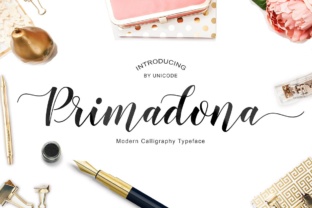
Primadona Font: Calligraphy with 375 Handmade Glyphs
If you are looking for a way to add a personal, handcrafted touch to your visual projects, Primadona deserves your attention. This is not just another digital typeface. It is a calligraphy-style font built from 375 unique handmade glyphs, each one drawn with care. The result is a tool that brings warmth, elegance, and a human feel to any design. Whether you are a beginner exploring typography or a professional working on a branding project, understanding what Primadona offers can open up new creative possibilities.
What Makes Primadona Different from Standard Fonts?
Most fonts you encounter are created using mathematical curves and digital repetition. Primadona takes a different path. Every letter, number, and symbol in this collection has a handcrafted origin. The 375 unique glyphs include variations and flourishes that you would normally only get from a real calligraphy pen. This means no two glyphs are strictly identical in spirit, even if they belong to the same character set. The organic irregularity is intentional—it gives text a living, breathing quality. For someone who wants their design to feel personal rather than machine-made, this is a significant advantage.
Think of Primadona as a digital sketchbook of typography. It captures the subtle pressure changes, the ink flow variations, and the natural rhythm of a human hand. This makes it ideal for applications where connection and authenticity matter, such as wedding invitations, heartfelt social media posts, or small business logos that need to tell a story.
Why Creators and Professionals Are Turning to Primadona
In a crowded visual landscape, standing out is often a question of adding personality. Primadona offers that personality without requiring you to be a skilled calligrapher yourself. For entrepreneurs and small business owners, this font can transform plain text into an engaging brand element. A simple slogan or shop sign becomes more inviting when rendered with handcrafted lines. Bloggers and marketers find that using Primadona in headers or pull quotes increases readability and emotional impact. The font draws the eye and holds attention, which is exactly what you need when you want your message to be remembered.
Educators and freelancers can also benefit. If you design worksheets, course materials, or client presentations, a touch of calligraphy can break the monotony of standard fonts. Primadona adds elegance to titles and section breaks without overwhelming the rest of the content. The 375 glyphs give you enough variety to keep things fresh across different projects, yet the style remains consistent enough to build recognition.
Practical Examples for Beginners
If you are new to using calligraphy fonts, start small. Download Primadona and install it on your computer (it works with most design software and even word processors). Then try typing a single word—perhaps your name or your business name—and see how it changes the feel of the page. Use it for a single element like a header in a blog post or a quote on a social media graphic. You do not need to redesign everything at once. The natural elegance of the glyphs will do much of the work for you.
Another beginner-friendly idea is to create a simple greeting card. Using Primadona for the main message and a clean sans-serif font for the details creates a professional look quickly. The contrast between the flowing calligraphy and a simple secondary font makes the design balanced and readable. This pairing technique is used by professional designers and is easy to replicate.
Where Primadona Shines in Real-World Use
The versatility of this font is one of its strongest points. Because it is based on handmade calligraphy, it suits both formal and informal settings. Here are some specific areas where Primadona performs well:
- Wedding and event stationery: Save-the-dates, invitation suites, menus, and place cards all benefit from the intimate feel of handcrafted lettering. Primadona adds a romantic, timeless touch without looking stiff.
- Social media branding: Use it for Instagram story titles, YouTube thumbnail text, or Pinterest pins. The font catches the scroll and encourages viewers to pause and read.
- Small business signage: A café, boutique, or service provider can use Primadona in logos, window decals, or packaging labels. It communicates care and attention to detail.
- Digital products: Planners, templates, and e-book covers become more appealing when key text is set in this calligraphy style. The handmade quality can increase perceived value.
- Personal projects: Journals, scrapbooks, or family newsletters gain a special quality. Primadona makes ordinary text feel like a keepsake.
Each of these use cases leverages the 375 glyphs to provide visual interest. The variety means you can find alternate characters for certain letters, allowing you to avoid the problem of looking too repetitive, even in longer texts.
Important Considerations Before Using Primadona
While Primadona is a beautiful tool, it is helpful to understand its strengths and limits.
First, consider readability. Handmade calligraphy fonts are not always ideal for body text, especially in small sizes. Use Primadona for headlines, titles, short paragraphs, or decorative elements. For large blocks of text, pair it with a simple, readable complementary font. This keeps your design elegant without sacrificing legibility.
Second, check the licensing terms. If you plan to use Primadona in commercial projects—such as logos, product packaging, or merchandise—make sure you have the appropriate license. Many font creators offer different tiers for personal and commercial use. Confirm this before finalizing any work to avoid issues later.
Third, think about file format and software compatibility. Primadona is likely available in OTF or TTF formats, which work across major platforms. However, if you use specialized software, test the font first to see how the glyphs render. Some programs handle alternate characters better than others.
Finally, be mindful of overuse. Because Primadona is so distinctive, using it everywhere in a single project can feel overwhelming. Balance is key. Let it shine in key spots and step back with simpler text elsewhere. This approach makes the calligraphy feel intentional rather than excessive.
How to Get the Most Out of the 375 Handmade Glyphs
The true value of Primadona lies in its variety. Beyond the standard alphabet, there are ligatures, swashes, and stylistic alternates. To access these, you will typically need design software that supports OpenType features, such as Adobe Illustrator, Photoshop, or Affinity Designer. Some word processors like Microsoft Word also offer basic glyph palettes. Once you open the glyph panel, you can browse through the options and choose the exact shape that fits your layout. This level of control lets you craft custom pieces without drawing a single stroke yourself.
For example, if you are typing a word and the default letter looks too wide, you might find a narrower alternate. If a capital letter feels too plain, a swash variation can add flourish. Learning to use these alternates is like having a personal calligraphy library at your fingertips. It takes a little practice, but the results are worth it.
Final Thoughts on Adding Primadona to Your Toolkit
Primadona is more than a font—it is a creative resource. The 375 handmade glyphs offer a level of detail and authenticity that synthetic fonts struggle to match. Whether you are designing a wedding invitation, building a brand identity, or simply wanting to give your personal blog a facelift, this font can help you connect with your audience on a human level. Its flexibility across digital and print media makes it a practical choice for beginners and professionals alike.
The best way to discover whether Primadona fits your needs is to experiment. Try it in a small project first. See how it changes the tone of your message. Notice how people respond. You may find that a single font choice can transform ordinary text into something memorable. And with 375 unique glyphs at your disposal, you have plenty of room to make each project uniquely yours.